
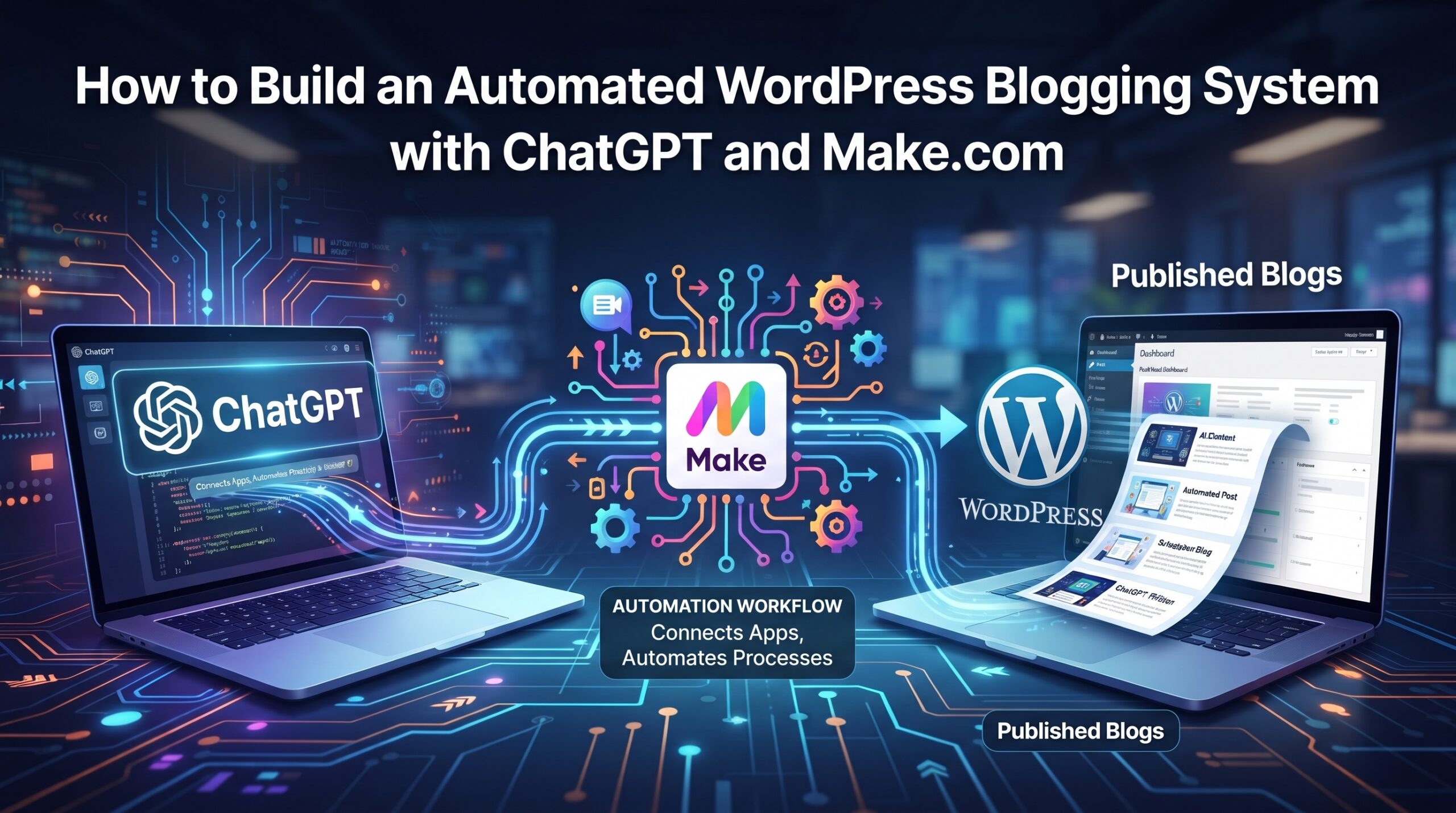
How to Build an Automated WordPress Blogging System with ChatGPT and Make.com
Unlock Unprecedented Efficiency: How to Build an Automated WordPress Blogging System with ChatGPT and Make.com
In the relentless world of digital marketing and content creation, consistency and scale are the twin pillars of success. Yet, for many bloggers, entrepreneurs, and marketing teams, manually churning out high-quality, SEO-optimized content for a WordPress site can feel like an uphill battle against time and resources. The demand for fresh, engaging articles is constant, but the human bandwidth to meet it often isn’t. This inherent challenge frequently leads to content gaps, missed opportunities, and a struggle to maintain visibility in competitive search engine rankings.
What if there was a way to significantly reduce the manual effort, accelerate your content pipeline, and maintain a consistent flow of valuable posts without compromising quality? The answer lies in leveraging the formidable power of artificial intelligence and workflow automation. This comprehensive guide will meticulously walk you through the process of building an **Automated WordPress Blogging System with ChatGPT and Make.com**, transforming your content creation strategy from a laborious chore into a streamlined, intelligent, and highly scalable operation. Prepare to harness the synergy of AI generation and seamless integration to propel your content efforts into a new era of efficiency and impact.
The Imperative of Automation in Modern Content Creation
The digital landscape is evolving at a breakneck pace, and content remains king. However, the expectations for that content are higher than ever. Readers demand depth, accuracy, and relevance, while search engines prioritize expertise, authority, and trustworthiness (E-E-A-T).
The Scalability Challenge of Manual Blogging
For most businesses and individual bloggers, scaling content production manually presents significant hurdles:
- Time Consumption: Research, writing, editing, SEO optimization, and publishing each post demands hours, if not days, of focused effort.
- Resource Strain: Hiring dedicated writers and editors can be costly, especially for small to medium-sized businesses.
- Inconsistency: Maintaining a regular publishing schedule often falters due to competing priorities or creative blocks.
- Missed Opportunities: Inability to capitalize on trending topics or niche keywords quickly due to a slow content pipeline.
These challenges often lead to burnout and an inability to compete effectively against larger, more resourced organizations. The solution isn’t to work harder, but smarter, by strategically integrating automation where it adds the most value.
The Rise of AI-Powered Content: ChatGPT’s Role
Generative AI models, particularly large language models like OpenAI’s ChatGPT, have revolutionized the way we think about content creation. ChatGPT, trained on a vast dataset of text and code, can generate human-like text across a myriad of topics and styles. Its capabilities extend far beyond simple text generation:
- Topic Ideation: Brainstorming new blog post ideas based on keywords or themes.
- Outline Generation: Structuring articles with clear headings and subheadings.
- Drafting Content: Generating initial drafts of paragraphs, sections, or even entire articles.
- Rewriting and Summarizing: Refining existing text or condensing lengthy content.
- SEO Elements: Crafting meta descriptions, titles, and even suggesting keywords.
By integrating ChatGPT into your workflow, you can significantly accelerate the content drafting phase, allowing human editors to focus on refinement, fact-checking, and injecting unique perspectives that AI alone cannot replicate.
Understanding the Core Components: ChatGPT, Make.com, and WordPress
To successfully build your automated blogging system, it’s crucial to grasp the individual strengths and symbiotic relationship between the three primary tools involved.
ChatGPT: Your AI Content Engine
At the heart of this automation is ChatGPT, specifically accessed via its API (Application Programming Interface). While you might be familiar with the chat interface, the API allows programmatic interaction, meaning other applications can send requests to ChatGPT and receive responses automatically. This is fundamental for automation.
- API Access: Enables other software (like Make.com) to send prompts and receive generated text directly, without manual copy-pasting.
- Prompt Engineering: The quality of content generated by ChatGPT is directly proportional to the quality of the prompt. Learning to craft precise, detailed, and context-rich prompts is a skill that dramatically improves output.
- Versatility: Capable of generating various content formats, from blog posts and social media updates to product descriptions and email copy.
Make.com (formerly Integromat): The Automation Orchestrator
Make.com is a powerful visual integration platform that allows you to connect apps and automate workflows without writing a single line of code. Think of it as the central nervous system that orchestrates the flow of data and actions between ChatGPT and WordPress.
- Visual Workflow Builder: Drag-and-drop interface makes it easy to design complex scenarios (automated workflows).
- Module-Based System: Each app connection (like ChatGPT, WordPress, Google Sheets) is a “module” that performs a specific action or acts as a trigger.
- Conditional Logic: Allows you to set rules and filters, so actions only occur under specific conditions (e.g., only publish a post if it’s over 1000 words).
- Scheduled & Real-time Triggers: Scenarios can run at specified intervals or instantly react to new data.
Make.com’s flexibility and robust connectors make it the ideal platform for bridging the gap between AI content generation and automated publishing.
WordPress: The Publishing Platform
WordPress is the world’s most popular Content Management System (CMS), powering over 43% of all websites. Its ubiquity and flexibility, combined with its powerful REST API, make it perfect for receiving content programmatically.
- WordPress REST API: This API is the key enabler. It allows external applications to interact with your WordPress site, creating, updating, or deleting posts, pages, users, and other content types.
- Extensibility: WordPress’s vast plugin ecosystem means you can enhance functionality, including SEO optimization (Yoast, Rank Math), scheduling, and more.
- Content Control: Despite automation, you retain full control over your content, including categories, tags, authors, and publishing status.
Prerequisites for Building Your Automated System
Before diving into the technical setup, ensure you have the following in place:
- A Functional WordPress Installation: This can be a self-hosted WordPress site or a managed WordPress hosting solution. Ensure it’s up-to-date and accessible.
- OpenAI Account & ChatGPT API Key: You’ll need an OpenAI account with billing information set up to access the ChatGPT API. Obtain your secret API key from the OpenAI developer dashboard.
- Make.com Account: Sign up for a Make.com account. While a free tier is available for basic testing, a paid plan will likely be necessary for sustained, scaled automation due to operation limits.
- Basic Understanding of APIs and Workflow Logic (Helpful): While Make.com is no-code, a conceptual grasp of how APIs communicate and how logical workflows operate will significantly aid the setup process.
- A Clear Content Strategy: Even with automation, you need a plan. What topics will you cover? What keywords are you targeting? What is your desired content structure and tone? These inputs will guide your prompts.
Step-by-Step Guide: Building Your Automated WordPress Blogging System
Let’s break down the process of connecting these powerful tools into a cohesive, automated system.
Step 1: Setting Up Your ChatGPT API Access
First, you need to ensure Make.com can communicate with ChatGPT.
- Create an OpenAI Account: If you don’t have one, go to platform.openai.com and sign up.
- Set Up Billing: Navigate to your billing settings. The ChatGPT API is a paid service, and you’ll need to add payment information. The costs are generally low per request but can accumulate with high volume.
- Generate API Key: Go to the “API keys” section in your dashboard. Click “Create new secret key.” Copy this key immediately, as it will only be shown once. Treat it like a password.
Step 2: Preparing Your WordPress Site for API Integration
Your WordPress site needs to be ready to receive content programmatically.
- Permalinks: Ensure you have “Pretty Permalinks” enabled (Settings > Permalinks). A post name or custom structure is usually best.
- User Account for API: It’s best practice to create a dedicated user account in WordPress (e.g., role of “Editor” or “Author”) that Make.com will use to publish content. This helps with security and auditing.
- Application Passwords (Recommended): For secure API access, WordPress provides “Application Passwords.” For the dedicated user account created in step 2, edit the user profile and scroll down to the “Application Passwords” section. Give it a name (e.g., “Make.com Automation”) and click “Add New Application Password.” Copy the generated password. This password acts like an API key for your WordPress site and is much more secure than using your regular user password for API calls.
- Verify REST API Access: You can test if your WordPress REST API is accessible by visiting
yourdomain.com/wp-json/wp/v2/postsin your browser. You should see a JSON array of your recent posts.
Step 3: Crafting Effective Prompts for ChatGPT
This is where the “intelligence” of your system truly shines. Poor prompts lead to generic content; great prompts lead to high-quality, targeted articles. Think of prompt engineering as giving clear, concise instructions to an intelligent assistant.
- Define the Persona: “Act as an expert SEO content writer focusing on [niche].”
- Specify the Task: “Write a comprehensive blog post about [topic].”
- Provide Context and Constraints:
- Keywords: “Include the following keywords: [list].”
- Target Audience: “Write for [audience demographic].”
- Tone: “Maintain an authoritative yet conversational tone.”
- Length: “Aim for approximately 1200 words.”
- Structure: “Include an H1 title, an engaging introduction, 3-5 H2 subheadings, several H3 subheadings within each H2, and a strong conclusion. Also include 3-5 bullet points summarizing key takeaways at the end.”
- SEO Elements: “Suggest a compelling meta description (under 160 characters) and 5 relevant tags.”
- Call to Action: “Include a subtle call to action related to [product/service].”
- Iterative Prompting (for multi-step generation): For better results, you can break down the content generation into multiple ChatGPT calls:
- Prompt 1: Generate a detailed outline for the topic.
- Prompt 2: Generate content for each section of the outline, feeding the previous section’s generated content for context.
- Prompt 3: Generate the introduction and conclusion.
- Prompt 4: Generate meta description and tags.
Step 4: Designing Your Automation Scenario in Make.com
This is where you’ll build the actual workflow. A “scenario” in Make.com is a series of modules that execute a task.
- Choose a Trigger: How will your automation start?
- Schedule: Run every day, week, or month at a specific time (e.g., to check for new topics).
- Webhook: An external service sends data to Make.com (e.g., a form submission for a new topic request).
- Google Sheets: “Watch New Rows” is excellent for managing your content pipeline in a spreadsheet.
- RSS Feed: Trigger when a new item appears in an RSS feed (e.g., for content curation).
- ChatGPT Modules: Add “OpenAI” modules to make API calls to ChatGPT. You’ll specify the model (e.g., `gpt-4`, `gpt-3.5-turbo`) and your prompts. You’ll map variables from previous modules (e.g., the topic from your Google Sheet) into your prompts.
- Content Structuring/Refinement: Use Make.com’s built-in “Text Parser” or “Tools” modules to manipulate the generated content. This could involve extracting specific sections, adding HTML tags (
<p>,<h2>), or combining different pieces of text. - WordPress Module: Use the “WordPress” module to create a new post. You’ll map the generated title, content, meta description, categories, and tags from the ChatGPT modules into the corresponding WordPress fields.
Step 5: Implementing the Make.com Scenario (Detailed Walkthrough Example)
Let’s build a practical scenario: “Google Sheet to WordPress Post.”
a. The Trigger: Google Sheets “Watch New Rows”
Create a Google Sheet with columns like `Topic`, `Keywords`, `Target Audience`, `Desired Word Count`, `Status` (e.g., “Pending”, “Generated”, “Published”).
- In Make.com, create a new scenario.
- Add a “Google Sheets” module.
- Select the “Watch New Rows” trigger.
- Connect your Google Account, select your spreadsheet and worksheet.
- Specify the “Trigger column” (e.g., “Status”) and filter it to only trigger when the status is “Pending.”
b. Generate Outline with ChatGPT
- Add an “OpenAI” module, select “Create a Completion” or “Generate Content.”
- Connection: Create a new connection using your ChatGPT API Key.
- Model: Choose an appropriate model (e.g., `gpt-3.5-turbo` for cost-effectiveness or `gpt-4` for higher quality).
- Prompt:
"Act as an experienced SEO content strategist. Generate a detailed, SEO-friendly outline for a blog post about: [Map 'Topic' from Google Sheet here]. Target keywords: [Map 'Keywords' from Google Sheet here]. The outline should include a compelling H1 title, an engaging introduction placeholder, 3-5 H2 subheadings, and 2-3 H3 subheadings for each H2. Also include a conclusion placeholder and a 'Key Takeaways' section with bullet points."
- Save the response for later use.
c. Generate Article Content with ChatGPT (using the outline)
- Add another “OpenAI” module.
- Prompt:
"Using the following outline, write a comprehensive, professional, and engaging blog post. Ensure the tone is authoritative yet conversational. Incorporate the target keywords naturally: [Map 'Keywords' from Google Sheet]. Aim for approximately [Map 'Desired Word Count' from Google Sheet] words. The content should be factual, insightful, and formatted with HTML tags (H2, H3, p, ul, li).

Outline:

[Map the 'Choices[]->Message->Content' from the previous OpenAI module here]"
- This step demonstrates chaining outputs. The output of the outline generation becomes the input for the content generation.
d. Generate Title and Meta Description with ChatGPT (Optional, or refine previous outputs)
- Add a third “OpenAI” module (or integrate into previous content generation if preferred).
- Prompt:
"Based on the following blog post content, suggest an optimized H1 title (under 60 characters) and a compelling meta description (under 160 characters).

Content:

[Map the full article content from the previous OpenAI module here]"
- Parse the output to separate the title and meta description using Make.com’s text functions (e.g., `split()` by “Title:”, “Meta Description:”).
e. Format Content for WordPress
The content generated by ChatGPT will likely need some HTML clean-up or structuring, even if you prompted for HTML tags. Make.com’s text functions can help:
- Add a “Text Parser” module or “Tools” module.
- Use functions like `replace()` to ensure consistent paragraph tags or fix any formatting issues. For example, replacing `\n\n` with `<p></p>` might be necessary, or ensuring H2s and H3s are correctly wrapped.
f. Publish to WordPress
- Add a “WordPress” module.
- Select “Create a Post.”
- Connection: Create a new connection.
- Connection Type: Basic Auth.
- URL: Your WordPress site URL (e.g., `https://yourdomain.com`).
- Username: The dedicated WordPress user you created in Step 2.
- Password: The Application Password generated in Step 2.
- Map Fields:
- Title: Map the generated H1 title.
- Content: Map the formatted article content.
- Status: Set to “Pending Review” (recommended for human oversight) or “Publish” (for fully automated, high-confidence content).
- Categories: You can map a category from your Google Sheet or set a default.
- Tags: Map the generated tags (often a comma-separated list).
- Featured Image: If you have a system for AI-generated images, you could integrate another module here.
- Meta Description: If using an SEO plugin that supports custom fields, you might need an additional “Update a Post” module or a plugin like ACF to store this.
- Add a “Google Sheets” module to update the status in your sheet to “Generated” or “Published” after successful posting.
Test the scenario thoroughly with a few rows in your Google Sheet. Watch the execution in Make.com to debug any issues.
Optimizing Your Automated Content for SEO and Generative AI (GEO)
Simply generating content isn’t enough; it must be optimized to rank well in traditional search engines and be easily parsed by generative AI search experiences (GEO).
Strategic Prompt Engineering for SEO
Your prompts are your primary tool for SEO optimization with AI:
- Keyword Integration: Explicitly instruct ChatGPT to include primary and secondary keywords naturally throughout the text, especially in headings and the introduction.
- Semantic Relevance (LSI): Ask the AI to incorporate related concepts and latent semantic indexing (LSI) terms to broaden the content’s thematic coverage.
- Search Intent Alignment: Frame your prompts to address specific user search intent (informational, commercial, navigational, transactional).
- Structured Data Cues: Ask ChatGPT to generate content that naturally lends itself to structured data, such as FAQs (as bulleted or numbered lists) that can be easily marked up with schema.
- E-E-A-T Elements: While AI cannot truly demonstrate Expertise, Experience, Authoritativeness, or Trustworthiness, you can prompt it to include elements that signal these, such as citing statistics, mentioning expert consensus, or discussing practical applications (which you would then verify).
Manual Review and Human Touch
No automated system, however sophisticated, should bypass human oversight entirely, especially for high-stakes content. A human review ensures:
- Accuracy and Fact-Checking: AI can hallucinate; humans must verify data, statistics, and claims.
- Unique Insights and Perspective: AI synthesizes existing information. A human adds unique experiences, opinions, and insights that differentiate your content.
- Brand Voice and Tone: Fine-tuning the brand’s specific voice and ensuring emotional resonance.
- E-E-A-T (again): A human author or editor is essential for truly demonstrating expertise, experience, authority, and trustworthiness. Add a human author bio.
- Refinement and Polish: Improving flow, readability, and correcting subtle grammatical errors or awkward phrasing.
Leveraging WordPress Features
Once content is in WordPress, use its native capabilities and plugins to further optimize:
- SEO Plugins: Manually (or with advanced automation) use plugins like Yoast SEO or Rank Math to fine-tune titles, meta descriptions, and check readability.
- Internal Linking: Manually add internal links to relevant existing content on your site. This is crucial for SEO and user experience.
- Image Optimization: Add relevant, optimized images with descriptive alt text. (This can be partially automated with services like Unsplash API integration in Make.com, but human selection is often superior).
- Categories and Tags: Ensure accurate categorization for site structure and user navigation.
Advanced Considerations and Best Practices
As you scale your automated system, keep these points in mind.
Content Quality Control and Editorial Workflow
Implement a robust editorial process: automated generation -> human editor review -> publish. Consider using a staging environment for testing new automation scenarios before deploying to your live site.
Scalability and Cost Management
- ChatGPT API Costs: Monitor your OpenAI usage dashboard. Costs depend on the model used and token count (input and output). Optimize prompts for conciseness where possible.
- Make.com Operations: Make.com operations are consumed with each module execution. Design efficient scenarios and use filters to prevent unnecessary runs. Consider Make.com’s pricing tiers based on your anticipated volume.
Ethical Implications and Transparency
The use of AI in content generation raises ethical questions. Be transparent with your audience if appropriate, especially if you’re using AI extensively. Ensure content generated is accurate and doesn’t spread misinformation. Prioritize helpful, reliable content over pure volume.
Beyond Basic Blogging: Expanding Your Automation
Once your core blogging system is stable, consider expanding its capabilities:
- Social Media Promotion: Automatically generate social media posts (e.g., for Twitter, Facebook, LinkedIn) based on your new blog post and schedule them using tools like Buffer or Hootsuite integrated via Make.com.
- Email Newsletters: Automate the drafting of newsletter content that summarizes new blog posts.
- Content Updates: Create scenarios to periodically revisit old posts, generate updated sections with ChatGPT, and push them to WordPress for review.
- Multilingual Content: Leverage AI translation within your Make.com scenario to generate posts in multiple languages.
Conclusion: The Future of Content Creation is Automated and Intelligent
Building an **Automated WordPress Blogging System with ChatGPT and Make.com** is not merely a technological advancement; it’s a strategic pivot. It shifts the content creator’s role from manual labor to strategic oversight, allowing for unprecedented efficiency, scalability, and consistency in your content pipeline. By embracing this powerful synergy of AI and automation, you can significantly reduce the time and resources spent on content production, freeing up your team to focus on higher-value tasks like deep research, unique insights, strategic planning, and community engagement.
This system empowers you to maintain a dominant online presence, respond rapidly to market trends, and consistently deliver value to your audience, ensuring your WordPress blog remains a vibrant, authoritative hub in an increasingly crowded digital world. The future of content creation is here, and it’s automated, intelligent, and incredibly powerful.
Key Takeaways for Building Your Automated WordPress Blog
- Embrace AI for Drafts: ChatGPT significantly accelerates content generation, freeing human talent for refinement and strategic input.
- Make.com is Your Orchestrator: Utilize Make.com’s visual builder to connect ChatGPT and WordPress, creating seamless content workflows without coding.
- Master Prompt Engineering: The quality of your AI-generated content hinges on the precision and detail of your prompts.
- Prepare WordPress for API: Set up application passwords and ensure your site is ready to receive programmatic content.
- Always Include Human Oversight: Automated content requires human review for accuracy, brand voice, unique insights, and E-E-A-T.
- Prioritize SEO and GEO: Design your prompts and workflows to optimize content not just for traditional SEO, but also for parsing by generative AI search engines.
- Start Simple, Then Scale: Begin with a basic scenario and gradually add complexity and additional automations as you gain confidence and expertise.
- Monitor and Adapt: Regularly review performance, costs, and content quality to refine your automated system for continuous improvement.