
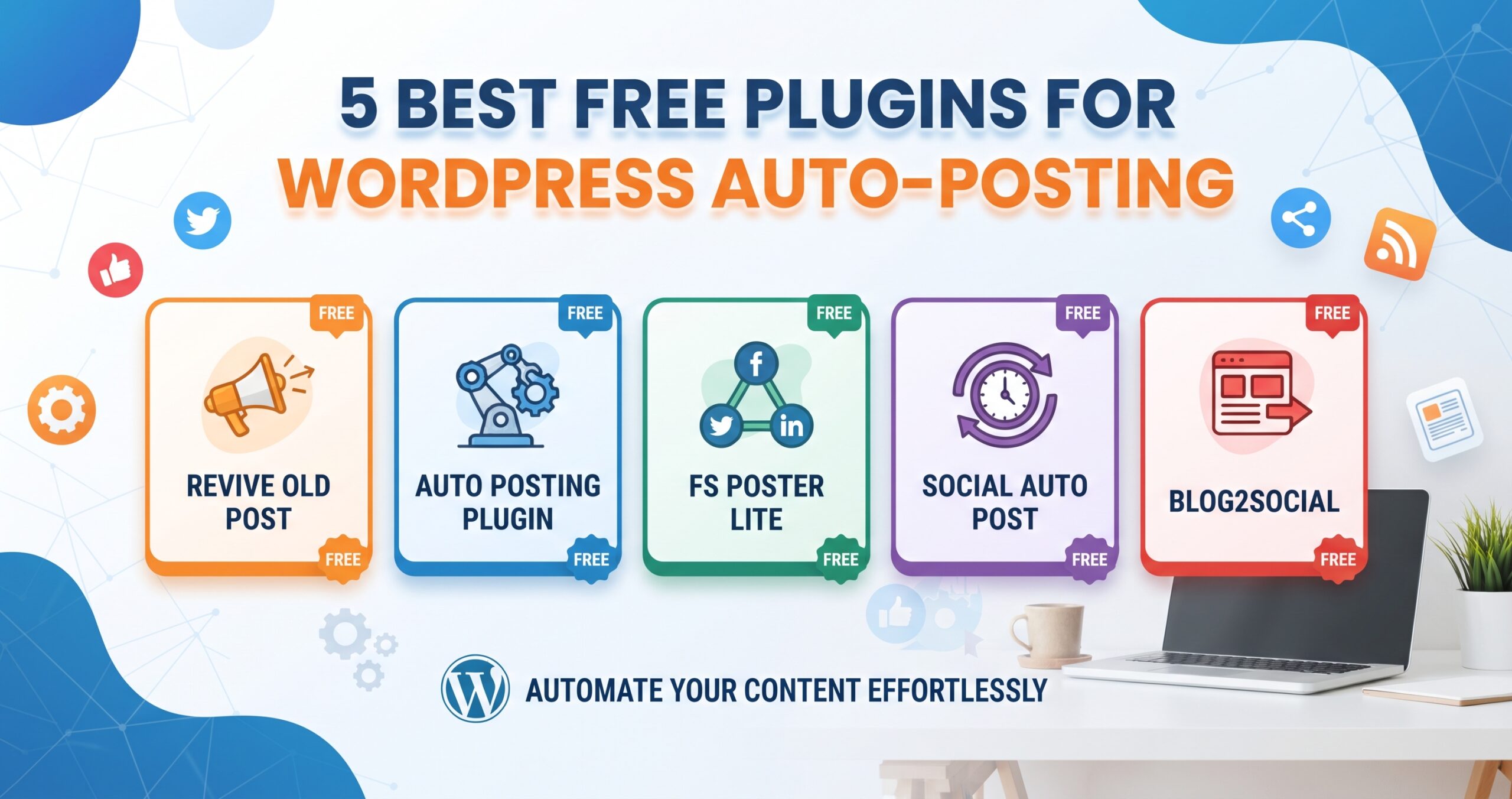
5 Best Free Plugins for WordPress Auto-Posting
In the relentless world of digital content, consistency is king, but manual distribution can be a monumental time sink. Every new blog post on your WordPress site presents a fresh opportunity to engage your audience, drive traffic, and establish authority. Yet, the repetitive task of sharing that content across various social media platforms, forums, or even other interconnected sites can quickly become overwhelming, stealing precious hours that could be dedicated to content creation, strategy, or engagement.
The solution? Automation. Specifically, leveraging the power of WordPress auto-posting plugins. These ingenious tools act as your digital assistant, automatically disseminating your fresh content the moment it’s published or at pre-scheduled intervals. But with a myriad of options available, identifying the right fit, especially when looking for powerful *free* solutions, can be a challenge.
As an elite Content Marketer and Senior SEO & GEO Specialist, I understand the critical importance of both efficiency and strategic reach. That’s why this comprehensive guide delves deep into the topic, unveiling the 5 best free plugins for WordPress auto-posting. We’ll explore their features, analyze their strengths and weaknesses, and equip you with the knowledge to make an informed decision that will profoundly impact your content marketing workflow and digital presence.
Why WordPress Auto-Posting is No Longer a Luxury, But a Necessity
The digital landscape evolves at a blistering pace. To remain competitive and visible, a robust content strategy must include efficient distribution. Auto-posting plugins are not just about convenience; they are a strategic imperative for any serious WordPress user.
Saving Precious Time and Resources
Imagine the cumulative hours spent manually crafting social media posts, uploading images, and publishing links across Facebook, X (formerly Twitter), LinkedIn, and other platforms for every single blog post. This time could be invested in keyword research, content optimization, audience interaction, or even developing new content ideas. Auto-posting liberates these resources, allowing you to focus on high-value tasks that genuinely move the needle for your business or brand.
Maintaining Consistent Online Presence
Consistency is a cornerstone of brand building and audience retention. Irregular posting can lead to decreased engagement and a drop in visibility. Auto-posting ensures a steady stream of content across your chosen channels, reinforcing your brand’s presence and keeping your audience consistently informed and engaged. This predictability also helps in setting audience expectations and building loyalty.
Expanding Reach Across Multiple Platforms
Your audience isn’t confined to a single platform. They’re on social media, professional networks, and potentially other content hubs. Manually covering all these bases is tedious and often incomplete. WordPress auto-posting plugins enable simultaneous, multi-platform publishing, dramatically expanding your reach and ensuring your content finds its way to diverse segments of your target audience, wherever they prefer to consume information.
Boosting SEO and Content Freshness
While direct social media shares might not be a primary SEO ranking factor, the increased traffic, backlinks, and brand mentions generated by wider content distribution certainly contribute to a healthy SEO profile. Furthermore, by regularly sharing both new and evergreen content, you signal to search engines that your site is active and provides fresh value, which can indirectly benefit your search engine rankings and overall discoverability.
Focusing on Content Creation, Not Distribution
Ultimately, your core value proposition lies in the quality and relevance of your content. By automating the distribution arm of your content strategy, you empower yourself or your team to concentrate on what truly matters: creating compelling, high-quality articles, videos, and resources that resonate with your audience and achieve your strategic objectives.
Key Features to Look for in a Free WordPress Auto-Posting Plugin
While the allure of “free” is powerful, it’s crucial to understand what capabilities you absolutely need to maximize the impact of your auto-posting efforts. Not all free plugins are created equal. Here’s what to prioritize:
Platform Compatibility (Social Media, Other Sites)
The first and most critical feature is the range of platforms the plugin supports. Do you need to post to Facebook, X, LinkedIn, Instagram, Pinterest, Tumblr, or even other WordPress sites via RSS feeds? A robust free plugin should at least cover the most popular social networks relevant to your audience.
Scheduling and Queuing Options
True automation goes beyond immediate posting. The ability to schedule posts for future dates and times, or even to queue up older content for re-sharing, is invaluable. This allows you to plan your content calendar strategically and maintain a consistent flow of information without needing to be online at peak times.
Customization of Posts (Templates, Hashtags)
Generic, robotic posts can deter engagement. Look for plugins that allow some level of customization for each platform. This might include pre-defining share messages, adding relevant hashtags, including custom images, or even stripping certain elements for platform-specific formatting. The more control you have over the message, the more authentic it will feel.
User-Friendliness and Dashboard Integration
An elite tool doesn’t just work; it works seamlessly. The plugin should integrate smoothly into your WordPress dashboard, offering an intuitive interface that makes setup and management straightforward. A complex or buggy interface negates the time-saving benefits of automation.
Reliability and Ongoing Support
Even free plugins should ideally come with a track record of reliability and active developer support. Check when the plugin was last updated, read user reviews, and see if there’s a support forum where questions are actively addressed. A neglected plugin can quickly become a liability, especially if social media APIs change.
The 5 Best Free Plugins for WordPress Auto-Posting: A Deep Dive
Having established the strategic importance and key features, let’s explore the top free options that can truly elevate your WordPress content distribution.
1. Jetpack Publicize
Overview: Jetpack is a behemoth in the WordPress ecosystem, developed by Automattic (the company behind WordPress.com). Its “Publicize” module is a built-in feature offering basic but effective auto-posting capabilities, making it a natural first choice for many WordPress users. Since many sites already use Jetpack for other features, activating Publicize often means no additional plugin overhead.
Key Features:
- Core Social Media Integration: Connects directly to Facebook Pages, X (Twitter), LinkedIn profiles/pages, and Tumblr blogs.
- Automatic Sharing: Automatically shares new posts the moment they are published.
- Simple Setup: Connect accounts directly from your WordPress dashboard with minimal fuss.
- Built-in Reliability: Backed by Automattic, ensuring a high level of compatibility and ongoing maintenance.
Pros:
- Seamlessly integrates with existing Jetpack installations, reducing plugin clutter.
- Extremely user-friendly and straightforward to set up, ideal for beginners.
- Reliable and constantly updated, ensuring compatibility with WordPress and social media API changes.
- Covers the most essential social media platforms for basic content distribution.
Cons:
- Limited Customization: Offers minimal options for customizing share messages per platform. You get a single message for all.
- No Scheduling: Lacks advanced scheduling features beyond immediate publishing.
- Narrow Platform Support: Only supports a handful of major platforms; no Instagram, Pinterest, etc., in the free version.
- No Evergreen Content Sharing: Cannot automatically share older posts.
Best For: Bloggers and small businesses who already use Jetpack and require a simple, reliable, ‘set-it-and-forget-it’ solution for automatically sharing new blog posts to their primary social media channels without needing advanced customization or scheduling capabilities. It’s an excellent entry point into auto-posting.
2. Blog2Social (Free Version)
Overview: Blog2Social is renowned for its comprehensive social media management capabilities, even in its free iteration. It focuses on transforming your WordPress posts into optimized social media updates, providing more control over how your content appears across different networks than many other free options.
Key Features:
- Cross-Platform Publishing: Connects to Facebook profiles/pages/groups, X, LinkedIn profiles/pages, Instagram Business Profiles, Pinterest, Tumblr, Flickr, Medium, and more (some advanced networks may be limited in free).
- Scheduling Options: Allows manual scheduling of individual posts for specific dates and times.
- Post Format Customization: Provides options to customize messages, add hashtags, emojis, and choose images for each social network.
- Link Shortening: Integrates with URL shorteners.
- Auto-Posting & Manual Scheduling: You can choose to auto-post immediately or manually schedule posts individually.
Pros:
- Excellent range of social media networks supported, even in the free version.
- Significantly more customization options for social media posts compared to basic plugins.
- User-friendly interface for managing social media shares directly from the WordPress editor.
- Offers both immediate auto-posting and individual post scheduling flexibility.
Cons:
- Limited Scheduled Posts: The free version typically has limitations on the number of scheduled posts per day/month.
- No Re-sharing Old Posts: The advanced evergreen content re-sharing feature is reserved for the premium version.
- Some Features Locked: Advanced features like best time scheduling, campaign management, and multiple post sharing for one article are premium.
Best For: Content creators and marketers who need more control over how their content is presented on social media and require support for a wider array of platforms beyond the absolute basics. It’s perfect for those willing to manually schedule a few posts and customize their appearance for better engagement.
3. WP Scheduled Posts
Overview: While many auto-posting plugins focus on social media, WP Scheduled Posts offers a unique perspective by primarily enhancing your *internal* WordPress publishing workflow. It’s about ensuring your content goes live when it’s supposed to, and that your editorial calendar is robust. This indirectly contributes to consistent external auto-posting by ensuring a steady stream of internal publications.
Key Features:
- Editorial Calendar View: Provides a visual drag-and-drop calendar for all your scheduled posts, drafts, and pending reviews.
- Auto-Scheduling: Automatically schedules posts from a pool of drafts at pre-defined intervals, ensuring a consistent publishing schedule.
- Missed Schedule Handler: If a post misses its scheduled time (e.g., due to server issues), the plugin can automatically publish it later.
- Post Status Management: Helps teams manage content from draft to pending review to published.
- Basic Social Sharing (Add-on): While its core strength is internal scheduling, it offers rudimentary social sharing capabilities or integrations that can be expanded with additional (often premium) add-ons.
Pros:
- Transforms your WordPress dashboard into a professional content calendar.
- Crucial for teams managing multiple authors and complex publishing schedules.
- Ensures consistent content output, which is a prerequisite for effective external auto-posting.
- The auto-scheduling of drafts is a powerful feature for maintaining a steady flow without manual intervention.
Cons:
- Limited Direct External Auto-Posting: Its primary focus is *internal* scheduling and workflow, not direct multi-platform social media auto-posting in its free version. You’ll likely need another plugin in conjunction for external sharing.
- Social Features are Basic/Premium: The free version’s social sharing capabilities are very basic or require premium add-ons.
Best For: Publishers, content agencies, and blogs with multiple contributors who need to streamline their editorial workflow, manage a large volume of content, and ensure consistent publishing *within* WordPress. It lays the groundwork for seamless external auto-posting, often used in conjunction with a dedicated social media auto-poster.
4. NextScripts: Social Networks Auto-Poster (SNAP)
Overview: SNAP is a powerhouse for social media auto-posting, boasting an impressive array of supported networks even in its free version. It’s designed for users who need extensive reach and a high degree of control over their social media shares. While its interface can be slightly less intuitive than others for beginners, its capabilities are undeniable.
Key Features:
- Extensive Network Support: Connects to over 30 social networks, including Facebook, X, LinkedIn, Pinterest, Blogger, LiveJournal, Medium, Telegram, Reddit, and many more niche platforms.
- Highly Customizable Messages: Offers detailed template tags to create unique share messages for each social network, pulling data from your post.
- URL Shortening: Integrates with various URL shorteners.
- Category/Tag Based Posting: Allows you to enable/disable auto-posting for specific categories or tags.
- Scheduled Auto-Posting: Can automatically post on new content publication or re-post older content on a schedule.
- Detailed Logs: Provides comprehensive logs of all auto-posted activities.
Pros:
- Unmatched number of supported social networks for a free plugin.
- Exceptional customization capabilities for social media post content.
- Robust and reliable once configured correctly.
- Suitable for complex content distribution strategies targeting diverse platforms.
Cons:
- Steeper Learning Curve: The setup and configuration can be more complex and less intuitive than simpler plugins.
- Limited to One Account per Network: The free version generally supports only one account per social network.
- Some Advanced Features Premium: Features like proxy support, advanced re-posting schedules, and unlimited accounts are in the Pro version.
Best For: Experienced bloggers, content marketers, and agencies who need to publish content to a wide variety of social networks and require granular control over the message content for each platform. It’s for those who aren’t afraid of a slightly more technical setup in exchange for powerful automation.
5. Revive Old Posts (Free Version)
Overview: As its name suggests, Revive Old Posts (ROP) has a specialized mission: to breathe new life into your evergreen content by automatically sharing it across your social media channels. In a content-saturated world, your older, valuable posts can easily get lost. ROP ensures they continue to drive traffic and engagement, making the most of your existing content library.
Key Features:
- Automated Old Post Sharing: Regularly shares your archived content to social media platforms.
- Social Media Support: Connects to X (Twitter) and Facebook (limited in free version).
- Customizable Share Messages: Allows you to include post title, link, and pre-defined text in your shares.
- Exclusion Options: Exclude specific posts, categories, or tags from being shared.
- Scheduling Frequency: Define how often old posts are shared (e.g., every X hours).
Pros:
- Unique Value Proposition: Excellently solves the problem of “evergreen content” getting buried.
- Drives continuous traffic to older, valuable content, maximizing ROI on past efforts.
- Helps maintain an active social media presence even when new content isn’t being published.
- Simple setup focused on its core function.
Cons:
- Limited Platform Support (Free): The free version is primarily focused on X and Facebook, with other networks like LinkedIn, Pinterest, and Instagram reserved for premium.
- Basic Customization: While it allows for some customization, it’s not as extensive as SNAP or Blog2Social.
- No New Post Auto-Posting: It does not auto-post *new* content; it’s strictly for old content. You would need another plugin for new content distribution.
Best For: Any WordPress site with a significant library of evergreen content that wants to keep older posts visible and continue driving traffic to them. It’s an indispensable tool for maximizing the lifespan and value of your existing content assets, complementing a primary new-post auto-poster.
Strategic Implementation: Best Practices for WordPress Auto-Posting
Simply installing an auto-posting plugin isn’t enough. To truly leverage these tools as an elite content marketer, a strategic approach is essential.
Don’t Just Automate, Personalize
While automation saves time, mindless automation can lead to robotic and disengaging posts. Whenever possible, use the customization features of your chosen plugin to tailor messages for each platform. A tweet should feel different from a LinkedIn update. Add platform-specific hashtags, mentions, or questions to encourage interaction. Remember, the goal is to enhance connection, not just distribute.
Monitor Performance and Adjust
Auto-posting is not a “set-it-and-forget-it” strategy entirely. Regularly check your social media analytics. Which posts performed best? Which platforms generated the most traffic? Use this data to refine your auto-posting settings, content customization, and even your scheduling frequency. A/B test different message formats or images.
Vary Your Content Types and Schedules
Avoid flooding your feeds with the exact same content at the exact same time. Leverage scheduling features to stagger your posts across platforms. Consider using a mix of new post announcements, evergreen content shares (via plugins like Revive Old Posts), and unique, manually crafted updates. Diversity keeps your audience engaged.
Maintain Brand Voice and Consistency
Ensure that the automated messages align perfectly with your established brand voice and tone. Inconsistent messaging can confuse your audience and dilute your brand identity. Review your templates and default messages regularly.
Understand Platform-Specific Nuances
Each social media platform has its own culture, best practices, and audience expectations. What works on X might not work on LinkedIn. For instance, X thrives on brevity and hashtags, while LinkedIn favors professional insights and discussions. Configure your plugin to respect these nuances as much as the free version allows.
Regularly Review Plugin Settings and Updates
Social media APIs change, and WordPress core updates happen frequently. Stay informed about updates to your chosen auto-posting plugin. Regularly check its settings to ensure all connections are active and functioning correctly. A broken connection means missed opportunities.
Addressing Common Concerns: FAQs About Auto-Posting
Even with the clear benefits, some common concerns often arise when discussing auto-posting:
Is auto-posting bad for engagement?
Not inherently. Poorly implemented, generic auto-posting can lead to lower engagement. However, when done strategically with personalization and monitoring, auto-posting frees up time for *actual* engagement – responding to comments, participating in discussions, and building relationships, which ultimately boosts engagement. The key is balance and smart implementation.
Can I customize posts for different platforms with free plugins?
Yes, to varying degrees. Plugins like Blog2Social and SNAP offer significant customization options even in their free versions, allowing you to tailor messages, images, and hashtags for each platform. Jetpack Publicize is more limited in this regard, offering a single message for all platforms.
What if a plugin stops working due to API changes?
This is a legitimate concern. Social media platforms frequently update their APIs, which can break plugin functionality. This is why choosing a plugin with a good track record of regular updates and active developer support (like Jetpack or SNAP) is crucial. Always check the plugin’s last update date before installing.
Are free plugins truly sufficient for serious marketing?
For many small businesses, bloggers, and even some medium-sized operations, the free versions of these plugins can be highly effective and provide substantial value. They often cover the core functionalities needed for consistent distribution. However, as your needs grow (more platforms, advanced analytics, team collaboration, deeper customization, more frequent evergreen sharing), investing in a premium version or a more robust paid tool might become necessary. The free options are excellent starting points and often sufficient for establishing a strong automated foundation.
Conclusion: Empowering Your WordPress Content Strategy
In the dynamic world of online content, efficiency and reach are paramount. The ability to automatically distribute your WordPress content across multiple platforms isn’t just a time-saver; it’s a strategic advantage that fosters consistency, expands your audience, and ultimately drives better results for your content marketing efforts. By carefully selecting one of the 5 best free plugins for WordPress auto-posting – be it Jetpack for simplicity, Blog2Social for customization, WP Scheduled Posts for editorial control, SNAP for extensive reach, or Revive Old Posts for evergreen content – you empower your content strategy and reclaim valuable time.
Remember, the goal isn’t just automation for its own sake, but smart automation that supports your broader marketing objectives. Implement these tools with an eye towards personalization, consistent monitoring, and strategic refinement. When used correctly, these free auto-posting solutions can transform your WordPress site into a publishing powerhouse, ensuring your valuable content reaches the right audience at the right time, every time.
Key Takeaways
- WordPress auto-posting plugins are essential for saving time, maintaining consistency, and expanding content reach.
- Key features to look for include platform compatibility, scheduling, customization, user-friendliness, and reliability.
- Jetpack Publicize is ideal for simple, basic social sharing for new posts.
- Blog2Social (Free) offers more customization and a wider range of networks for manually scheduled posts.
- WP Scheduled Posts excels at internal editorial workflow and ensuring consistent WordPress publishing.
- NextScripts: Social Networks Auto-Poster (SNAP) provides extensive network support and deep customization for advanced users.
- Revive Old Posts (Free) is crucial for maximizing the lifespan and traffic of your evergreen content.
- Strategic implementation involves personalization, monitoring performance, varying content types, and adhering to brand voice.
- Free plugins can be highly effective for establishing a strong foundation, though premium options may be needed for scaling.